
Choosing chords
The circle of fifths, the Chord finder’s “most likely next” dial, the Chord editor and the Progressions library.
-
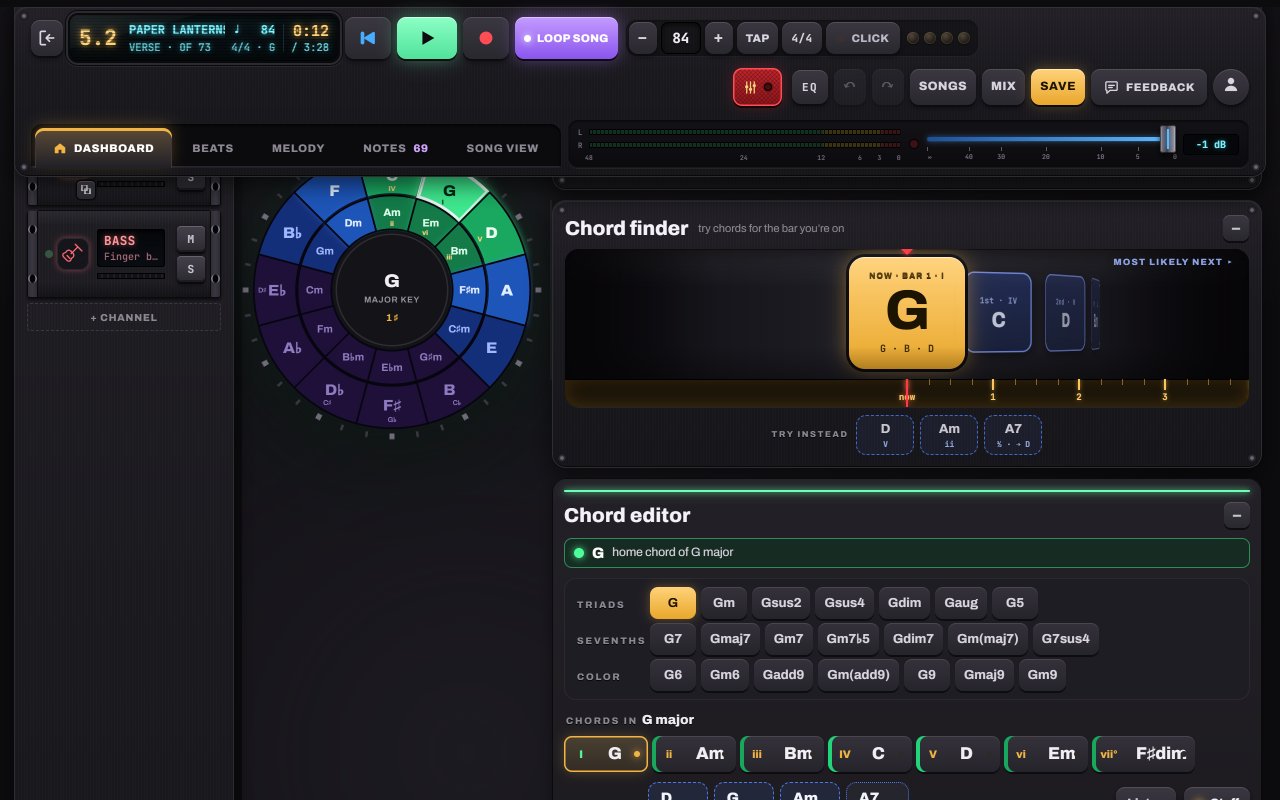
Read the circle of fifths
Neighbours on the circle sound good together. Your key’s chords are lit in green (the home chord brightest); blue and dark purple chords are further out. Not wrong, just bolder. While the song plays, the chord being played glows orange-red.
- 1The key’s home chord: brightest green
- 2Blue and purple: further from the key, bolder
- 3Inner ring: the minor chords
Tip: Tapping a chord only lets you hear it. Nothing changes in your song until you write it in.
-
Let the Chord finder suggest what’s next
The Chord finder is a dial. Drag or scroll it to try the chords most likely to come next, ranked best first; tap one to hear it. The ones that would sound out of place are left out.
- 1NOW: the chord in the bar you’re on
- 21st, 2nd, 3rd… the most likely next chords
- 3Try instead: swaps that also fit
-
Shape the chord in the Chord editor
The Chord editor turns any root into the exact chord you want: Gsus4, Gmaj7, Gadd9… The line at the top says how it fits your key (“IV in G major · a main chord”, “borrowed, adds color”). Then press ✎ Write to put it in the bar.
- 1Triads: major, minor, sus, dim, aug, power chord
- 2Sevenths
- 3Color chords: 6, add9, 9, maj9…
- 4The chords in your key, with numerals
-
Start from a proven progression
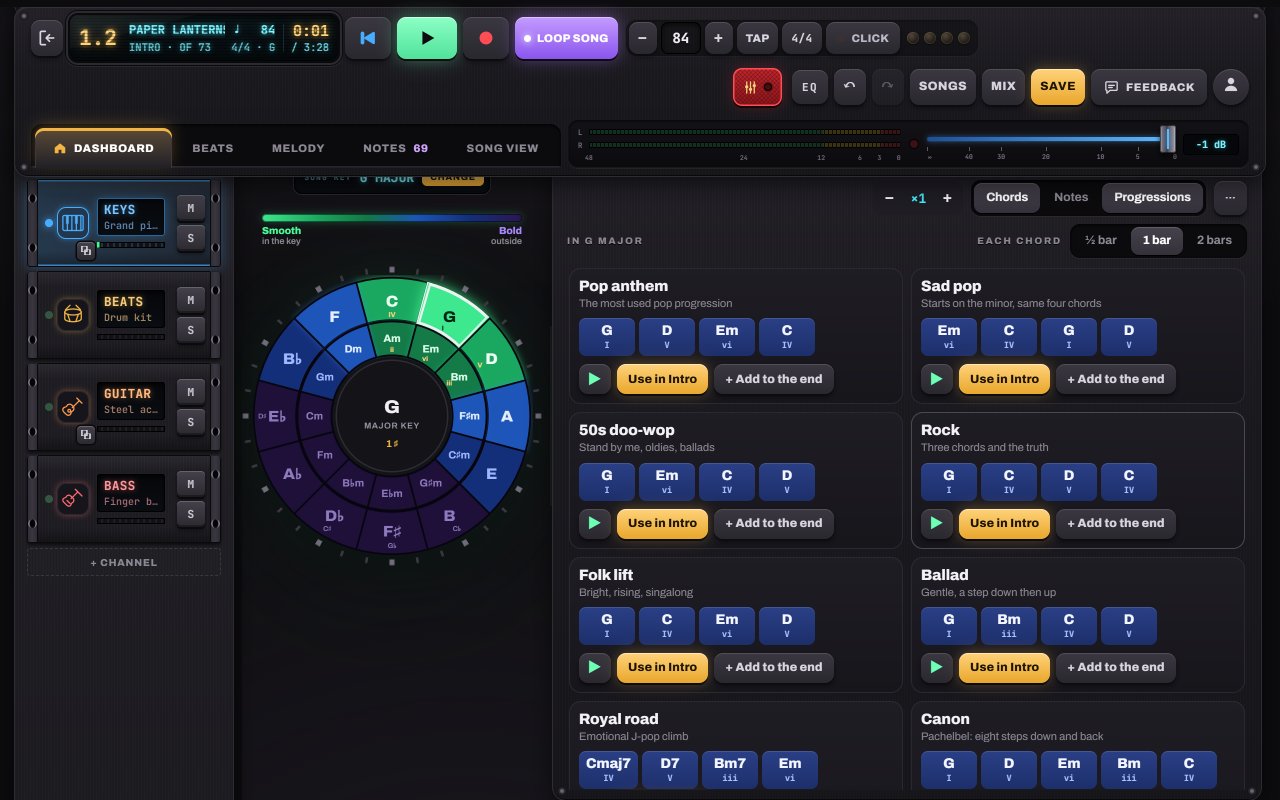
Open Progressions in the part for a library written in your key: Pop anthem, 50s doo-wop, Royal road, Canon, Jazz ii–V–I, 12-bar blues and more (with minor-key versions). Hear one, then use it. Undo brings back what was there.
- 1Progressions tab in the part
- 2How long each chord lasts
- 3▶ hear it
- 4Use it in this part (or add to the end)


Hear it in a sample song
- Paper Lanterns · Demo song · pop / folk
- Slow Rewind · Pop ballad
- Gravel Road Waltz · Folk / acoustic