
Guide 07 of 10
Melody: a piano roll for every channel
Add a melody channel, write notes on the piano roll, or edit exactly what Keys, Guitar or Bass play.
-
Add a melody channel
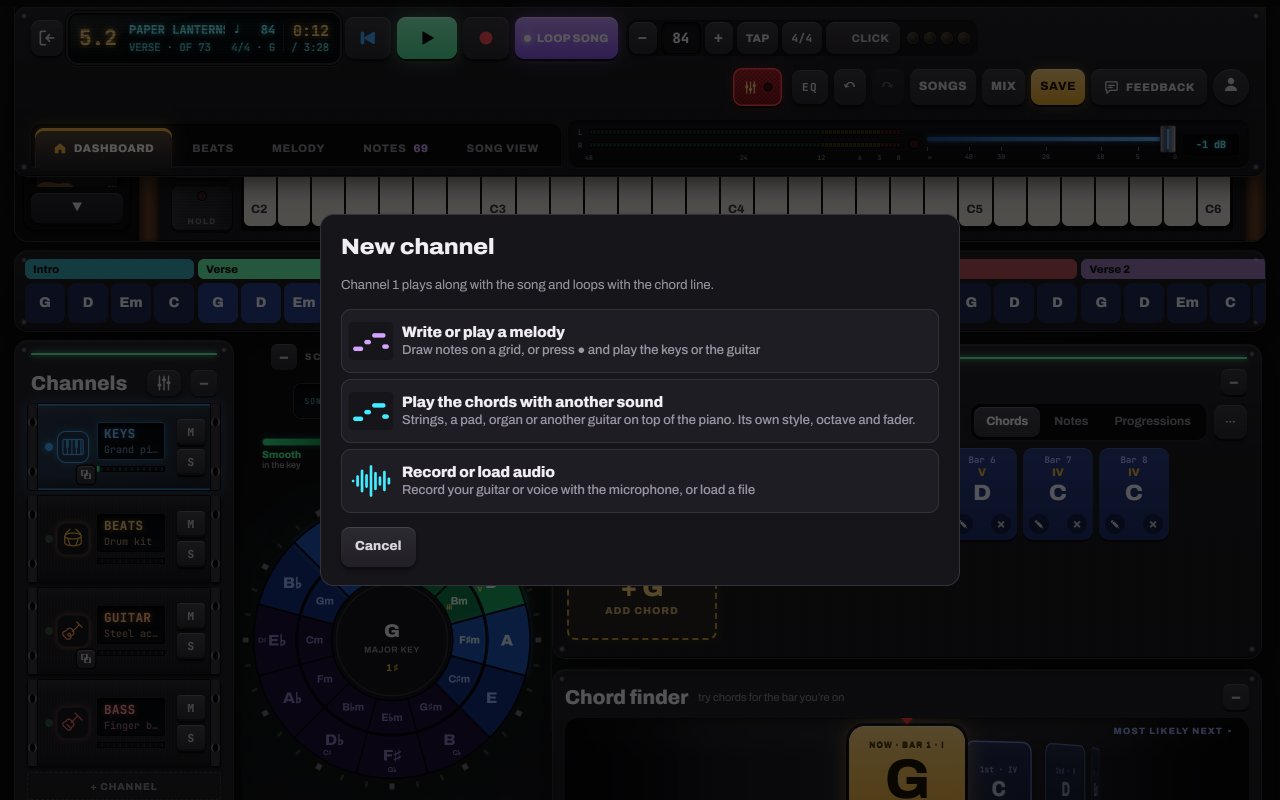
Tap + Channel in the rack and choose Write or play a melody. You can have up to six extra channels: melodies, audio takes and chord layers.
- 1Write or play a melody
- 2Play the chords with another sound (a layer)
-
Write on the piano roll
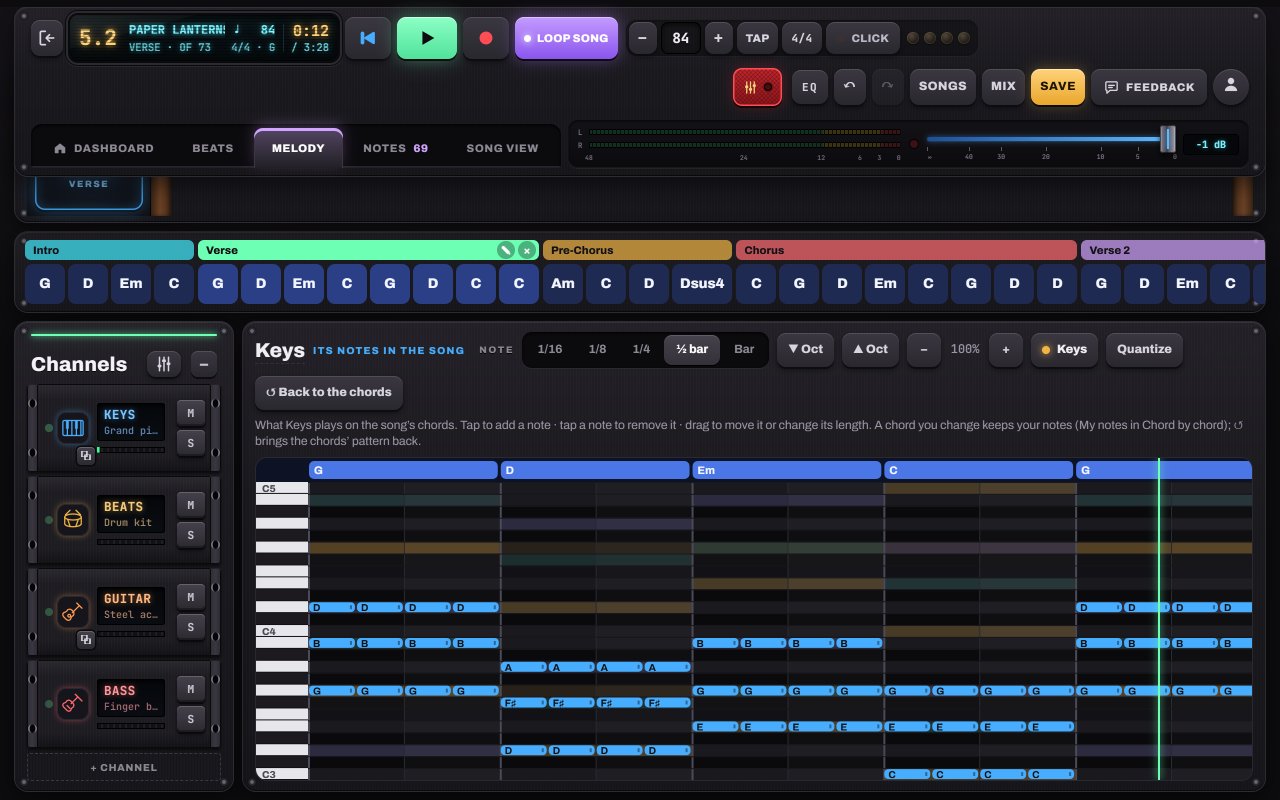
The Melody tab is a piano roll across the song. Pick a note length, then tap to add notes and drag to move or stretch them. Or press record and play the keyboard or guitar, and your notes land on the grid.
- 1Note length
- 2Tap to add · tap to remove · drag to move or resize
- 3Octave
- 4Melody tab
-
Edit what the band plays
On Keys, Guitar or Bass, the Melody tab shows the notes that channel plays on your chords. Change any of them; a chord you edit keeps your notes. ↺ Back to the chords returns to the part’s pattern.
- 1Back to the chords


Hear it in a sample song
- Slow Rewind · Pop ballad
- Velvet Hours · R&B / neo-soul
- Rain on Glass · Lo-fi